SAP SuccessFactors Provisioning Without Stored Passwords: Workload Identity Auth Hits Preview

Long-lived usernames and passwords buried inside an HR provisioning connector are exactly the kind of risk most identity teams want gone. They need rotation, they create cross-team handoffs, and they don’t fit where cloud identity is heading. Microsoft Entra now has a Public Preview that retires that pattern for SAP SuccessFactors: workload identity-based authentication using short-lived, federated tokens instead of stored credentials.
Because it’s preview, treat this as a modernization path to rehearse with your SAP, HR, and IAM owners — not a production switch to flip on a Friday.
What it is
Workload identity-based authentication replaces the basic-auth credential that Microsoft Entra provisioning uses today with short-lived, federated OpenID Connect (OIDC) tokens. There are no static passwords stored in the provisioning job. Instead, a federated identity credential links your Microsoft Entra tenant to SAP Cloud Identity Service (SAP IAS) through trust rules you control, and the tokens that flow expire in minutes rather than never.
The preview currently covers two scenarios: SuccessFactors to Microsoft Entra ID user provisioning and SuccessFactors Writeback. Microsoft’s documentation notes that support for SuccessFactors to on-premises Active Directory user provisioning will be enabled soon.
There’s also a hard deadline behind this. SAP plans to deprecate basic authentication for SuccessFactors APIs by November 20, 2026, so moving off stored credentials isn’t just good hygiene — it’s getting ahead of a change you’ll have to make anyway.
How the token flow works
It helps to see the runtime path before you configure anything. Three cloud services and two tokens are involved:
- Microsoft Entra acquires a signed JWT (AT1). The provisioning service uses a federated identity credential tied to your SuccessFactors provisioning app to get a signed JWT from your Entra tenant.
- SAP IAS exchanges it for an access token (AT2). That JWT is presented to SAP Cloud Identity Service, which validates it against the JWT Trust-by-Issuer rules you set, then returns a short-lived token scoped only to the SuccessFactors OData API.
- The provisioning service calls the OData API. That short-lived token carries a client ID mapped to a technical/API user in SuccessFactors with role-based permissions.
The net effect: trust is federated, scoped, and revocable from Microsoft Entra at any time — no shared secret to rotate inside SAP.
Why it matters
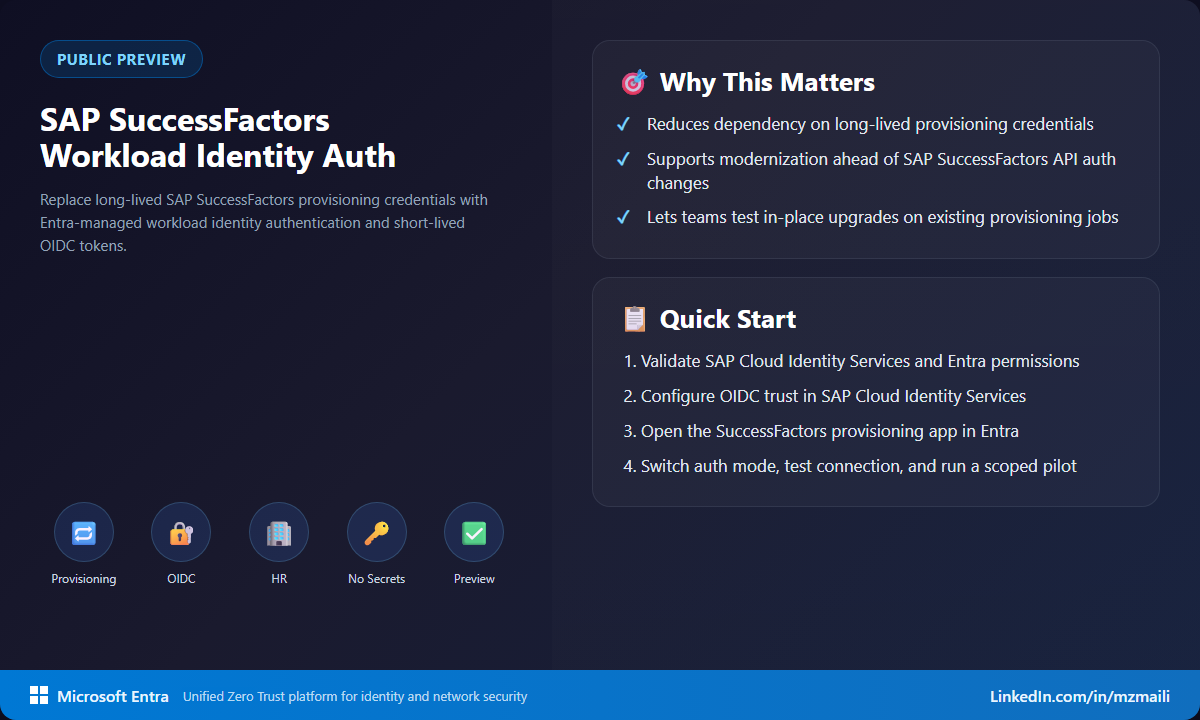
Provisioning is foundational identity plumbing. When it breaks, joiners, movers, and leavers turn into manual ticket work fast. Swapping static credentials for short-lived federated tokens cuts the credential handling and rotation overhead, and it gives you a trust model you can revoke centrally instead of chasing a password change across systems.
The operational story is just as good. Existing provisioning jobs upgrade in place — you’re not rebuilding the integration from scratch to get there. For a connector that’s often wired into payroll and org structure, that’s a much safer path to modernize.
How to test it in preview
Plan this like a cross-team change, not a single portal toggle. The configuration spans Microsoft Entra, SAP IAS, and SAP SuccessFactors admin consoles.
- Confirm your SAP SuccessFactors provisioning app is already set up from the Microsoft Entra enterprise application gallery.
- Confirm SAP Cloud Identity Service is available and configured as the authentication service for SuccessFactors.
- Get the right admins in the room: Entra App Administrator, SAP IAS admin, and SuccessFactors admin. You need access in all three.
- In Microsoft Entra, register the app with a federated identity credential.
- In SAP IAS, configure the JWT Trust-by-Issuer relationship so it trusts Microsoft Entra-issued tokens for your tenant.
- In SuccessFactors, configure the OIDC OAuth client mapping that binds the SAP IAS client ID to a technical/API user with role-based permissions.
- Update the SuccessFactors provisioning app in Entra to use workload identity authentication, test the connection, and run provisioning against a scoped pilot.
Here’s what I’d do: run the full end-to-end in a QA or development tenant first, and write down the exact rollback steps before you touch production. HR-driven provisioning has dependencies that cross org boundaries, and preview testing is the right time to surface them.
What to watch during the pilot
The configuration is only half the work. Track who owns each trust boundary and which team can read the useful logs. A token-exchange failure can show up as an SAP authorization error, an Entra app configuration issue, or a provisioning service error depending on where the flow breaks. A good pilot leaves you with a runbook that says exactly who investigates each layer — before the production cutover, not during it.
Bottom line
This is the right kind of modernization: fewer static secrets, scoped short-lived tokens, and trust you can revoke from one place for a critical provisioning path. Test it early, especially if SuccessFactors is central to your joiner-mover-leaver process. The teams that rehearse this well before the November 2026 basic-auth deadline are the ones who’ll have a calm, boring cutover — which is exactly what you want from identity plumbing.
For more information, visit Configure workload identity-based authentication for SAP SuccessFactors provisioning.