AI Agents Need Their Own Identity: A Zero Trust Playbook

Your AI agents are already acting inside your environment. The real question is whose identity they’re using to do it. Most teams stand up an agent in Copilot Studio or Azure AI Foundry, wire it to a few APIs with a shared secret or a borrowed service account, and move on. Then a security review lands and nobody can answer the basics: which agent did this, what is it allowed to touch, and how do we shut it off?
That’s not an AI problem. It’s an identity problem — and we already know how to solve those.
What we’re actually talking about
An AI agent that calls APIs, reads data, and takes actions is a workload. In Microsoft Entra, workloads are represented as workload identities — applications, service principals, and managed identities that authenticate and access resources without a human signing in. The trouble is that these non-human identities behave differently from user accounts. They can’t do MFA, they often have no formal lifecycle, and they need their credentials stored somewhere. That combination makes them both harder to manage and a juicier target.
When you bolt an agent onto a shared service account, you inherit every one of those weaknesses and add a new one: you lose attribution. If five agents share one principal, “who did this” has no answer.
The fix is to give the agent a real, governed identity of its own and apply the same Zero Trust discipline you’d give any workload.
Why this matters now
Agents are multiplying faster than the controls around them. Each one is a new set of permissions, a new credential, and a new path into your data. Get the identity layer wrong and a single compromised agent becomes lateral movement across everything that account could reach. Get it right and an agent is just another principal you can scope, monitor, and revoke — no new security model required.
Microsoft has been building toward exactly this. Microsoft Entra Agent ID is now generally available, extending Entra’s identity and security framework to AI agents. It gives each agent a first-class directory identity, supports agents built on Microsoft and non-Microsoft platforms, and brings the same identity-driven protections — adaptive access, real-time risk detection, lifecycle management, and full audit logging — that you already apply to users and workloads. That’s the foundation. The discipline below is how you use it.
The sequence that works
1. Give each agent its own identity
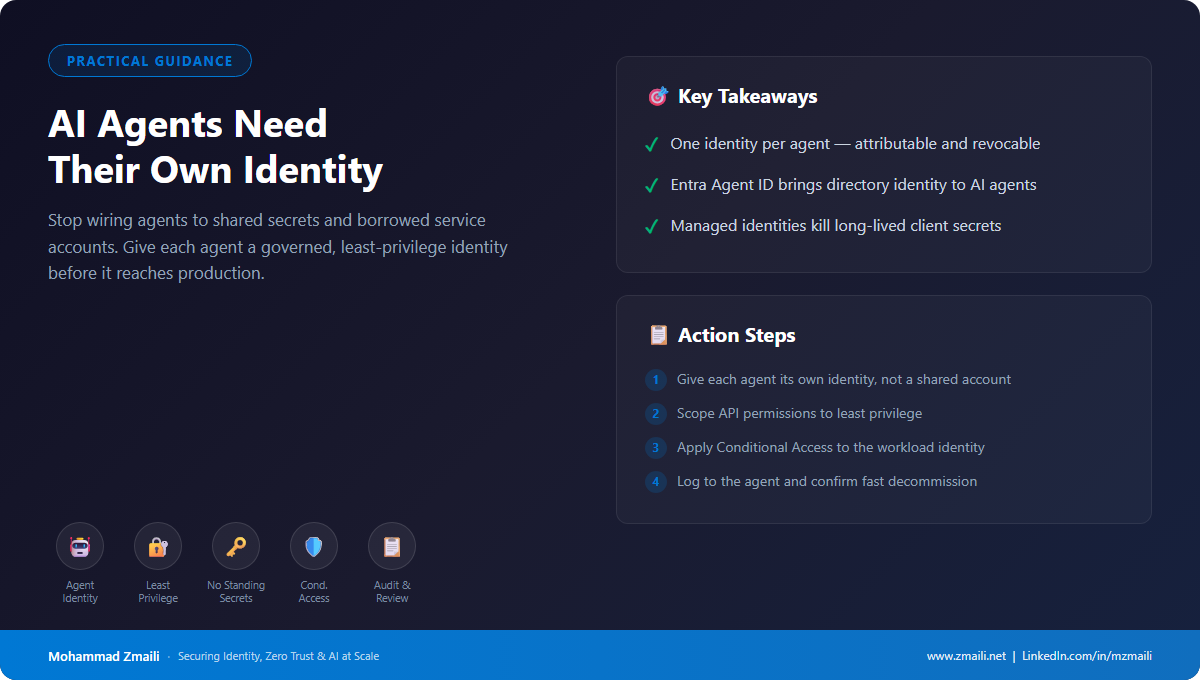
One identity per agent. Not a shared service account, not a human’s token. Entra Agent ID is built for this — a dedicated directory identity per agent so every action is attributable and revocable. If you can’t point at one principal and say “this agent, these actions,” you don’t have governance yet.
2. Scope permissions to least privilege
Grant the narrow API permissions the agent actually needs, and nothing else. Broad “just in case” access is how one compromised agent turns into lateral movement. Audit for unused permissions (granted but never called) and reducible ones (where a lower-privilege scope would do the same job), and strip them. The smaller the grant, the smaller the blast radius.
3. Kill standing secrets
A long-lived client secret sitting in a config file is the credential an attacker hopes you forgot about. Use managed identities where the agent runs in Azure, and workload identity federation where it doesn’t — so the agent exchanges a trusted token from an external provider for a short-lived Entra access token instead of holding a static secret. No secret to leak, no certificate to expire, nothing to rotate by hand.
4. Put Conditional Access on the workload
Conditional Access isn’t just for users. Conditional Access for workload identities lets you apply policy to service principals: block sign-ins from outside known public IP ranges, and respond to risk detected by Microsoft Entra ID Protection. That’s the same control plane you already run for people, pointed at your agents. Note that it applies to single-tenant service principals registered in your tenant and requires Workload Identities Premium — and that managed identities are governed through access reviews rather than CA policy.
5. Make it auditable and disposable
Log every action to the agent’s own identity so the audit trail is real. Run access reviews on your non-human identities the way you do for users — agents accumulate stale access too. And rehearse decommissioning: you should be able to kill an agent’s access in minutes, not file a ticket and wait weeks. If you can’t turn it off quickly, you don’t really control it.
How I’d approach a rollout
Don’t try to boil the ocean. Start with an inventory — find the agents already running and the identities they’re using. The shared-secret offenders are your first targets: re-platform them onto dedicated identities, swap the static credential for a managed identity or federated credential, and tighten the permission grant on the way. Wrap Conditional Access around them, turn on logging, and schedule the first access review. Then make “agent gets its own governed identity” a gate in your deployment process so the next wave is born compliant instead of retrofitted.
Bottom line
AI agents don’t need a brand-new security model. They need the identity-centric one you already have — applied before they hit production, not after the incident. Treat every agent as a non-human identity, give it least privilege, kill the standing secrets, and keep it auditable and disposable. The tooling is here. The discipline is the part you own.