User attribute updates in Lifecycle Workflows

Mover processes are where identity automation often gets messy. A person changes department, location, cost center, sponsor, or another attribute, and downstream access logic depends on whether the directory reflects reality. The new Update user attributes task in Microsoft Entra Lifecycle Workflows helps close that gap.
This task is in Public Preview, so test it with low-risk attributes and controlled users before you wire it into broader lifecycle automation.
What it is
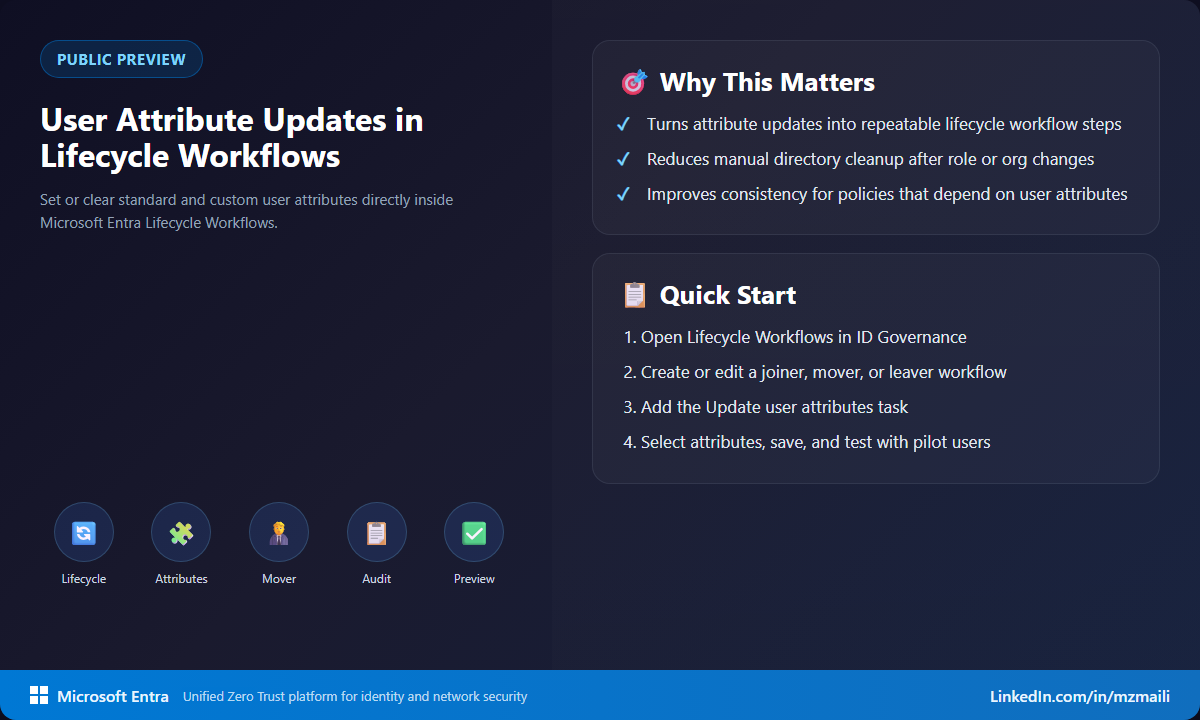
Lifecycle Workflows now includes an Update user attributes (Preview) task. Admins can add the task to a workflow and configure it to set or clear user attributes as part of a joiner, mover, or leaver process. A single task can update up to 10 attributes, and it isn’t limited to the basic directory fields — supported targets include built-in attributes, on-premises extension attributes, directory extensions, and employee organization data.
The feature is practical because many identity controls depend on attributes. Dynamic group rules, provisioning mappings, access package policies, app logic, and reporting all assume that user data is current. If the lifecycle process can update that data directly, fewer changes fall into manual tickets or one-off scripts.
Why it matters
Identity drift usually doesn’t arrive as one dramatic failure. It shows up as small mismatches: a former department value, an old sponsor, a location that no longer applies, or a custom attribute that should have been cleared when a user changed roles. Over time, those mismatches affect access decisions and audit confidence.
Putting attribute updates inside Lifecycle Workflows makes the process more repeatable. You can define when the update happens, what value is set or cleared, and how it fits with the rest of the workflow. That also gives reviewers a cleaner automation trail than scattered admin changes.
How to test it in preview
Keep the first test boring. That’s a compliment in identity automation.
- In the Microsoft Entra admin center, go to ID Governance > Lifecycle Workflows.
- Create or edit a workflow for a joiner, mover, or leaver scenario.
- Add the Update user attributes task.
- Choose the user attributes you want to set or clear and configure the task values.
- Run the workflow against test users and review the resulting attribute changes and audit trail.
- Validate any downstream dependency, such as dynamic group membership, provisioning behavior, or access package policy evaluation.
I would start with attributes that don’t immediately grant sensitive access. For example, test a reporting or classification attribute before you update something that drives privileged group membership. Once the workflow behavior is predictable, move toward attributes your access rules trust most.
What to watch during the pilot
Attribute ownership matters. Before you let a workflow update a field, decide whether HR, IAM, the user’s manager, or another system is authoritative for that value. If two processes can write the same attribute, your automation may create a new source of drift instead of reducing it. I would also document which attributes are safe to clear, because clearing a value can trigger downstream changes just as quickly as setting one.
For preview testing, add monitoring around every workflow run. Check the task result, the user object, and any dynamic group or provisioning behavior that depends on the changed value. That gives you confidence that the workflow changed the right data and that downstream systems interpreted it the way you expected.
Bottom line
This is a small feature with a lot of operational value. Lifecycle automation works better when it can update the identity data that other controls depend on. Use the preview to map which attributes belong in workflow logic, which belong in HR-driven provisioning, and which should still require human review.
For more information, visit Lifecycle Workflows tasks and definitions.