
Phish-Resistant MFA for Linux Desktops
Linux desktops are not edge cases in enterprise environments. Developers, engineers, researchers, and administrators use them every day to reach Microsoft 365, Azure, internal apps, and privileged tooling. The security gap appears when those endpoints sit outside the same identity and device controls that already protect Windows and macOS.
Microsoft single sign-on for Linux, powered by the Microsoft Identity Broker, is now generally available. For organizations that have wanted stronger Microsoft Entra ID integration on Linux, this is a practical step forward: device registration, Intune enrollment, Conditional Access, brokered sign-in, and phishing-resistant authentication scenarios can now be part of the Linux desktop experience.
What it is
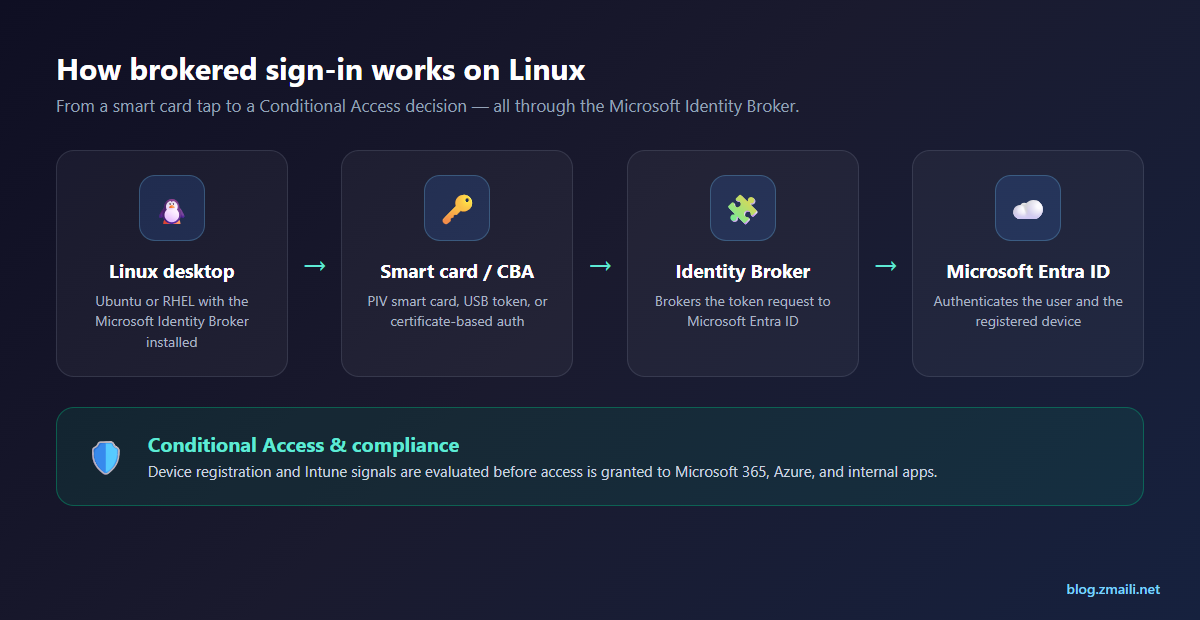
Microsoft single sign-on for Linux integrates supported Linux desktops with Microsoft Entra ID. Once installed, the Microsoft Identity Broker allows users to authenticate with their Entra account and access protected resources with fewer repeated prompts. The same foundation supports registration of Linux desktops in Entra ID, enrollment into Microsoft Intune, and evaluation against device-based Conditional Access policies.
The feature also supports common enterprise app paths, including Microsoft Edge, Azure CLI, Teams as a progressive web app, and applications built with MSAL for .NET or MSAL for Python. For phishing-resistant MFA, the broker supports smart cards, certificate-based authentication (CBA), and USB tokens that carry a PIV/smart-card applet — so the credential that resists phishing on Windows can resist it on Linux too.
Why it matters
The old pattern was too often “Linux is special, so Linux gets an exception.” That might be convenient for rollout, but it creates a control gap. If a Linux user can reach the same sensitive data and admin surfaces as everyone else, the endpoint should be governed with comparable identity controls.
This release helps security teams stop treating Linux as a weaker authentication island. Device registration gives Entra ID visibility. Intune enrollment and compliance policies give admins a management path. Conditional Access can evaluate the device context. Brokered SSO improves the user experience without backing away from stronger controls.
How to enable it
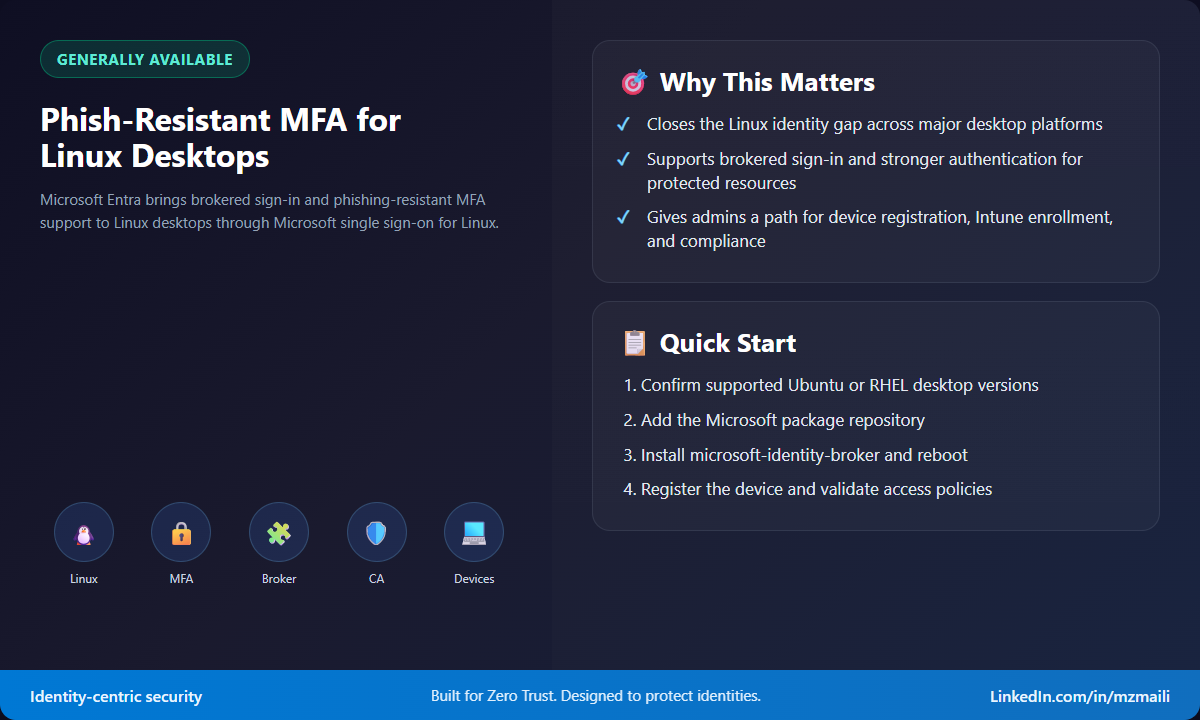
Start by confirming platform support. Microsoft lists Ubuntu Desktop 24.04 LTS and 26.04 LTS, plus Red Hat Enterprise Linux 9 and 10, on x86/64 physical or Hyper-V machines. The desktop needs internet connectivity, administrative privileges for installation, and a supported desktop environment such as GNOME or KDE.
For Ubuntu, install curl and gpg, import the Microsoft package signing key, add the Microsoft package repository, run sudo apt update, install microsoft-identity-broker, and reboot. For RHEL, import the required Microsoft signing key, configure the Microsoft production repository, install microsoft-identity-broker with dnf, and reboot. RHEL 10 has additional repository and dependency considerations, so follow the current Learn steps rather than copying an old script from a wiki.
After installation, register the device and validate the flows that matter in your environment: Entra device registration, Intune enrollment, compliance evaluation, Microsoft Edge access to protected web apps, Azure CLI sign-in, and Teams access if you use it on Linux. Then test Conditional Access with both compliant and noncompliant device states. I’d do this with a pilot group first, because Linux estates often have distribution, package, and desktop-environment variations that are invisible in an inventory spreadsheet.
For the phishing-resistant piece, note the version and platform fine print. PRMFA support landed in microsoft-identity-broker 2.0.2 and later, and smart card integration is currently validated on a narrower set of distributions than brokered sign-in itself — so check the current Learn page for the exact smart-card-supported releases before you standardize on hardware. CBA-based flows lean on a PKI that issues user certificates to the device, so have that issuance and certificate-store story sorted before the pilot.
Bottom line
This is a meaningful GA release because it closes a real operational gap. Linux users can keep using Linux, but identity teams get a cleaner way to apply the same Zero Trust expectations: strong authentication, known devices, compliance signals, and Conditional Access enforcement.
For more information, see Microsoft single sign-on for Linux.



